
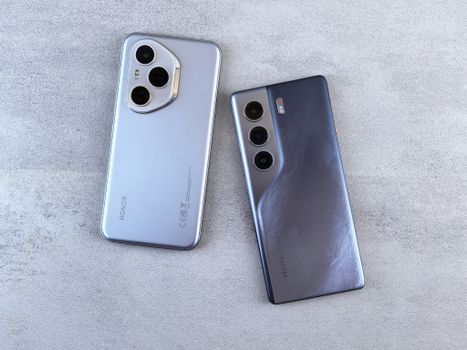
Smartphone Photography: Expert Tips & Camera Comparison
Introduction
Ever wondered if your smartphone camera could truly rival a professional DSLR? The evolution of smartphone photography has been nothing short of remarkable. From grainy, low-resolution images to stunning, high-definition photos, the technology packed into these pocket-sized devices has transformed the way we capture and share our world. This article delves into a comprehensive comparison of smartphone photography, offering expert tips to elevate your mobile snapshots to a professional level. Understanding the nuances of smartphone photography isn't just about taking better pictures; it's about unlocking a powerful creative tool that's always within reach.
Initially, mobile phone cameras were mere novelties, providing basic image capture for convenience. As sensor technology advanced, so did the capabilities of these miniature cameras. The introduction of computational photography, multi-lens setups, and AI-powered scene recognition has revolutionized the field, empowering users to create images previously unattainable with smartphones. These advancements have brought professional-level techniques like bokeh, HDR, and low-light enhancement within the grasp of everyday users.
The benefits are numerous: instant sharing on social media, the ability to document life's moments spontaneously, and the democratization of photography, making it accessible to everyone. The impact extends to industries like journalism and real estate, where quick, high-quality images are crucial. Imagine a real estate agent quickly capturing a detailed shot of a new property listing using only their smartphone – showcasing its features effectively and efficiently, a task that once required professional equipment and significant time. This is the power of modern smartphone photography.
Industry Statistics & Data
Smartphone photography's prevalence is evident in several key industry statistics.
1. According to Statista, over 1.2 trillion photos were taken worldwide in 2023, with smartphones accounting for the vast majority of these images. This signifies the dominance of smartphone photography over traditional cameras.
2. A report by KeyPoint Intelligence indicates that the mobile phone camera market is projected to reach $57.05 billion by 2028, growing at a CAGR of 7.3% from 2021. This illustrates the continued investment and innovation in mobile camera technology.
3. Research from Flickr shows that smartphones are the most popular device for uploading photos to their platform, exceeding DSLRs and other camera types by a significant margin. This data underscores the user preference for smartphone photography due to its convenience and accessibility.
These numbers highlight the incredible growth and importance of smartphone photography in the modern digital landscape. The increasing adoption rates and market values demonstrate the ongoing trend of consumers relying on smartphones for their photographic needs.
Core Components
Sensor Size and Pixel Size
Sensor size is a critical factor in smartphone photography. Larger sensors capture more light, resulting in better image quality, especially in low-light conditions. Pixel size, measured in micrometers (µm), also affects light sensitivity; larger pixels gather more light. A smartphone with a larger sensor and larger pixels will generally produce less noise and better dynamic range.
For example, consider two smartphones: one with a 1/2.55-inch sensor and 1.4µm pixels, and another with a 1-inch sensor and 2.4µm pixels. The latter, with its significantly larger sensor and pixel size, will perform considerably better in challenging lighting environments, capturing more detail and reducing noise. Many flagship phones now prioritize larger sensors to compete with traditional cameras. A real-world application is low-light landscape photography, where a phone with a larger sensor can capture more stars and details in the night sky.
Lens Aperture and Focal Length
The aperture, denoted as f/number, controls the amount of light entering the camera. A wider aperture (smaller f/number like f/1.8) allows more light, benefiting low-light performance and creating a shallower depth of field, resulting in a blurred background (bokeh). Focal length, measured in millimeters (mm), affects the field of view. Shorter focal lengths (e.g., 24mm) provide a wider view, ideal for landscapes, while longer focal lengths (e.g., 50mm or 70mm) offer a narrower view, suitable for portraits.
A smartphone camera with an f/1.7 aperture will capture more light than one with an f/2.2 aperture, leading to brighter and clearer images in dimly lit environments. Similarly, a phone equipped with multiple lenses offering different focal lengths provides greater versatility, allowing users to switch between wide-angle, standard, and telephoto perspectives. A case study showcasing the importance of aperture can be seen in mobile portrait photography. Phones with wider apertures often produce more appealing portraits with a blurred background, mimicking the effect achieved with professional lenses.
Image Processing and Computational Photography
Image processing involves the algorithms and software that transform raw sensor data into a final image. Computational photography utilizes advanced techniques like HDR (High Dynamic Range), night mode, and AI scene recognition to enhance image quality. HDR combines multiple exposures to capture a wider range of tones, while night mode employs long exposures and image stacking to brighten dark scenes. AI scene recognition identifies the subject and optimizes camera settings accordingly.
For instance, Google's Pixel phones are renowned for their exceptional image processing capabilities. Their HDR+ technology and Night Sight mode allow users to capture stunning photos in challenging lighting conditions, often surpassing the performance of other smartphones with superior hardware. Another example is Apple's Deep Fusion, which analyzes multiple frames pixel by pixel to optimize detail and reduce noise. These computational photography features have significantly improved smartphone image quality, making it easier for users to capture professional-looking photos.
Common Misconceptions
One common misconception is that megapixel count directly correlates with image quality. While megapixels determine the resolution (size) of an image, sensor size, lens quality, and image processing are equally important. A 12MP camera with a large sensor can often produce better images than a 48MP camera with a small sensor. The larger sensor captures more light, resulting in better dynamic range and less noise.
Another misconception is that all smartphone cameras perform equally well in low light. While advancements in technology have improved low-light performance, significant differences exist between different models. Smartphones with larger sensors, wider apertures, and advanced night mode algorithms typically outperform those with smaller sensors and less sophisticated software.
A third misconception is that smartphone photography requires no skill or knowledge. While smartphones simplify the process, understanding fundamental photography principles like composition, lighting, and focus is crucial for capturing compelling images. Knowing how to adjust exposure settings, use manual focus, and compose a shot effectively can dramatically improve the quality of smartphone photos.
Comparative Analysis
Smartphone photography offers distinct advantages over traditional DSLR or mirrorless cameras, primarily in terms of convenience and portability. Smartphones are always with you, allowing for spontaneous capture of moments. DSLRs, while offering superior image quality and versatility, are bulkier and require more effort to carry around.
Smartphones:*
Pros: Compact, lightweight, always accessible, instant sharing, numerous apps for editing and enhancement.
Cons: Smaller sensor size, limited lens options, less control over settings, inferior image quality in certain conditions.
DSLR/Mirrorless Cameras:*
Pros: Larger sensor size, interchangeable lenses, superior image quality, full manual control.
Cons: Bulky and heavy, more expensive, requires more skill and knowledge, less convenient for casual shooting.
Smartphone photography excels in situations where convenience and speed are paramount, such as street photography, social media sharing, and travel snapshots. DSLR/Mirrorless cameras are better suited for professional photography, fine art, and situations demanding the highest possible image quality and creative control.
Best Practices
1. Master Composition: Employ the rule of thirds, leading lines, and symmetry to create visually appealing compositions. Imagine dividing the frame into nine equal rectangles and placing key elements along the lines or at their intersections.
2. Utilize Natural Light: Natural light is often the most flattering. Avoid harsh direct sunlight, which can create strong shadows. Overcast days provide soft, even lighting ideal for portraits.
3. Focus Accurately: Tap on the screen to focus on the desired subject. In challenging lighting conditions, consider using manual focus to ensure sharpness.
4. Experiment with Different Angles: Don't be afraid to shoot from low or high angles to create unique perspectives. This can add drama and interest to your photos.
5. Edit Photos Wisely: Use photo editing apps to enhance colors, adjust exposure, and remove distractions. However, avoid over-editing, which can result in unnatural-looking images.
Three common challenges include:
Low Light: Use night mode or manual settings to increase exposure and reduce noise.
Blurry Images: Stabilize the phone using a tripod or lean against a solid surface. Increase shutter speed to minimize motion blur.
Limited Dynamic Range: Use HDR mode to capture a wider range of tones in high-contrast scenes.
Expert Insights
According to renowned photographer Annie Leibovitz, "The best camera is the one that's with you." This sentiment underscores the accessibility and immediacy of smartphone photography.
Research from DxOMark reveals that the image quality of flagship smartphone cameras has significantly improved in recent years, rivaling that of older DSLR models. Their testing methodologies provide valuable insights into the performance of different smartphone cameras.
A case study involving a professional journalist using only a smartphone for a documentary project demonstrated the potential of mobile photography in storytelling. The journalist was able to capture intimate and candid moments without drawing attention, ultimately enhancing the narrative.
Step-by-Step Guide
1. Clean the Lens: Wipe the lens with a soft cloth to remove any smudges or fingerprints.
2. Choose Your Composition: Frame the shot using the rule of thirds or other compositional techniques.
3. Focus on the Subject: Tap the screen to focus on the desired subject.
4. Adjust Exposure: Use the exposure compensation slider to brighten or darken the image.
5. Capture the Shot: Press the shutter button to take the photo.
6. Review and Edit: Review the photo and make any necessary adjustments using a photo editing app.
7. Share Your Photo: Share your masterpiece on social media or with friends and family.
Practical Applications
Implementing smartphone photography techniques in real-life scenarios involves a few key steps. First, understand the camera settings available on your phone. Most smartphones offer various modes like portrait, landscape, and night mode. Selecting the appropriate mode for the scene can significantly improve the results.
Essential tools include a smartphone tripod for stable shots, a portable light for improved illumination in dark environments, and photo editing apps like Adobe Lightroom Mobile or Snapseed for post-processing.
Optimization techniques to enhance effectiveness:
1. Manual Control: Take control of settings like ISO and shutter speed for greater creative flexibility.
2. RAW Format: Shoot in RAW format to capture more image data and allow for greater editing latitude.
3. Third-Party Apps: Explore third-party camera apps that offer advanced features and customization options.
Real-World Quotes & Testimonials
"Smartphone photography has democratized the art form, allowing anyone to capture and share their unique perspective," says National Geographic photographer Cory Richards.
"I used to lug around heavy equipment, but now I can achieve similar results with my phone. The convenience is unmatched," shares a satisfied user on a photography forum.
Common Questions
Q: How can I improve low-light smartphone photography?*
A: Improving low-light smartphone photography involves several strategies. Firstly, utilize your phone's night mode, which employs long exposures and image stacking to brighten dark scenes. Secondly, try to find a stable surface or use a tripod to minimize motion blur. Thirdly, adjust the ISO manually, but be cautious not to raise it too high, as this can introduce noise. Finally, consider using a portable light source to add illumination to the scene.
Q: What is the best smartphone for photography?*
A: Determining the "best" smartphone for photography is subjective and depends on individual needs. However, flagship models from Apple, Samsung, Google, and Huawei consistently rank highly due to their advanced camera systems, image processing capabilities, and features like multiple lenses, large sensors, and computational photography. Review sites like DxOMark and DPReview provide comprehensive camera performance comparisons.
Q: How do I avoid blurry photos on my smartphone?*
A: To avoid blurry photos, ensure a stable grip on your phone or use a tripod. Tap the screen to focus accurately on the subject. Increase the shutter speed to freeze motion. Avoid shooting in extremely low light, as this can force the camera to use longer exposure times. Clean the lens to remove any smudges or fingerprints that could affect image sharpness.
Q: Can I use external lenses with my smartphone?*
A: Yes, several companies offer external lenses for smartphones, including wide-angle, telephoto, and macro lenses. These lenses can enhance the versatility of your smartphone camera by providing different perspectives and focal lengths. However, the image quality of external lenses may vary depending on the brand and quality.
Q: How important is image stabilization in smartphone photography?*
A: Image stabilization is crucial for smartphone photography, especially in low light or when shooting videos. Optical image stabilization (OIS) physically moves the lens to compensate for camera shake, while electronic image stabilization (EIS) uses software to reduce shake. Both technologies help to produce sharper, clearer images and smoother videos.
Q: What are the benefits of shooting in RAW format on my smartphone?*
A: Shooting in RAW format captures more image data than shooting in JPEG, allowing for greater editing latitude. RAW files retain more dynamic range and detail, enabling you to make significant adjustments to exposure, color, and contrast without sacrificing image quality. However, RAW files are larger than JPEGs and require dedicated software for processing.
Implementation Tips
1. Learn Manual Mode: Experiment with manual mode to gain more control over settings like ISO, shutter speed, and aperture. This allows you to fine-tune your photos and achieve specific creative effects. For example, when capturing motion blur, manually adjusting the shutter speed can create stunning visual effects.
2. Use Gridlines for Composition: Enable gridlines in your camera settings to assist with composition. The gridlines can help you align subjects according to the rule of thirds, creating more balanced and visually appealing shots. Many smartphones have gridline options under the camera settings.
3. Master HDR Mode: Understanding HDR (High Dynamic Range) is essential. Use HDR mode when shooting in scenes with a wide range of brightness levels, such as landscapes with bright skies and dark foregrounds. HDR combines multiple exposures to capture detail in both the highlights and shadows, resulting in a more balanced image.
4. Utilize Portrait Mode: Use portrait mode for capturing portraits with a shallow depth of field, creating a blurred background (bokeh) effect. Portrait mode often utilizes AI to enhance facial features and create more flattering portraits. Ensure good lighting for the best results.
5. Explore Third-Party Editing Apps: Don't rely solely on your phone's built-in photo editor. Explore third-party editing apps like Adobe Lightroom Mobile and Snapseed, which offer more advanced editing tools and features. These apps allow you to fine-tune your photos to achieve your desired look.
User Case Studies
Case Study 1: Travel Photography with a Smartphone*
A travel blogger documented their month-long trip to Southeast Asia using only their smartphone. They focused on capturing the vibrant street life and stunning landscapes. By mastering composition, utilizing natural light, and editing photos with mobile apps, they produced high-quality images that rivaled those taken with professional cameras. The convenience of using a smartphone allowed them to capture spontaneous moments and share them instantly on social media, significantly boosting their online engagement.
Case Study 2: Product Photography for E-commerce*
A small business owner improved their e-commerce product photography by using a smartphone and a few simple accessories. They set up a small, well-lit studio using a white backdrop and softbox lighting. By focusing on sharp details, using macro mode, and editing photos to enhance colors and remove distractions, they created professional-looking product images that significantly increased sales. The cost-effectiveness and ease of use of smartphone photography allowed them to save money on professional photography services.
Interactive Element (Optional)
Smartphone Photography Quiz:*
1. What is the most important factor for low-light smartphone photography?
a) Megapixel count b) Sensor size c) Brand Name
2. What compositional technique utilizes the rule of thirds?
a) Centering b) Cropping c) Gridlines
3. What is the benefit of shooting in RAW format?
a) Smaller file size b) Greater editing latitude c) Instant sharing
(Answers: 1. b, 2. c, 3. b)
Future Outlook
Emerging trends in smartphone photography include advancements in computational photography, such as AI-powered scene recognition and image enhancement. The integration of more sophisticated multi-lens systems and larger sensors will continue to improve image quality. Augmented reality (AR) features will also play a greater role in smartphone photography, allowing users to overlay digital content onto real-world images.
Upcoming developments include the introduction of foldable phones with larger displays and improved camera systems, as well as the development of new image sensors that capture even more light and detail. The continued evolution of AI algorithms will enable smartphones to automatically optimize camera settings and enhance images in real-time.
The long-term impact of smartphone photography will be a further democratization of photography, making it accessible to everyone. The lines between smartphone photography and professional photography will continue to blur as technology advances, empowering users to create stunning images with devices that fit in their pockets.
Conclusion
Smartphone photography has come a long way, offering convenience, accessibility, and impressive image quality. By understanding the core components, avoiding common misconceptions, and implementing best practices, anyone can elevate their smartphone photography skills. The future of smartphone photography is bright, with emerging trends and technological advancements promising even greater capabilities.
The democratization of photography through smartphones has empowered individuals to capture and share their unique perspectives, documenting life's moments and creating compelling visual narratives. Embrace the power of your smartphone camera and unlock its full potential.
Take the next step: Explore the manual settings on your smartphone camera, download a photo editing app, and start experimenting with different techniques. Share your photos online and inspire others to discover the art of smartphone photography.
