
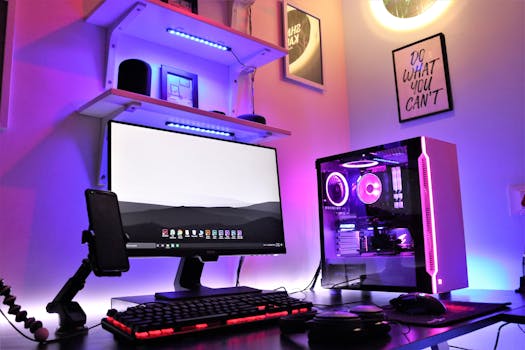
Build Your Dream PC: Gaming Rigs & Latest Innovations
Introduction
Tired of lag and low frame rates? The world of PC gaming offers unparalleled customization and performance, but where do you even begin? Understanding the intricacies of PC gaming builds and the latest innovations is crucial for creating a machine that can handle the most demanding games and provide an immersive gaming experience. The evolution of PC gaming has been rapid, transitioning from simple arcade ports to visually stunning and complex interactive worlds. From the early days of dial-up multiplayer to the modern era of high-speed internet and cloud gaming, the possibilities have expanded exponentially. This guide will equip you with the knowledge needed to build a gaming PC tailored to your specific needs and budget.
The key benefit of understanding these builds lies in the ability to maximize your gaming experience while minimizing costs. Building a PC allows for precise component selection, ensuring optimal performance for the games you play. A pre-built system may not always meet your specific needs, potentially leading to bottlenecks or unnecessary expenses on components you don't require.
Consider the example of a professional eSports player. They require a system capable of rendering extremely high frame rates at low latency to gain a competitive edge. A poorly optimized or outdated system would put them at a significant disadvantage. By understanding PC building, they can create a machine perfectly tailored to their demanding requirements, ensuring peak performance and responsiveness during crucial matches.
Industry Statistics & Data
The PC gaming market is a powerhouse, exhibiting robust growth year after year. Here are some key statistics:
1. According to a report by Newzoo, the global PC gaming market is projected to reach $40.9 billion in revenue by 2024. This demonstrates the sustained popularity and financial significance of PC gaming.
2. A survey conducted by Jon Peddie Research found that dedicated gaming PCs represent a significant portion of the overall PC market, with gamers consistently investing in high-performance components.
3. Statista reports that approximately 1.75 billion people worldwide play PC games. This massive user base underscores the broad appeal and accessibility of PC gaming.
These statistics highlight the vitality and growth potential of the PC gaming industry. This growth fuels innovation in hardware and software, benefiting gamers with increasingly powerful and immersive experiences. The increasing investment in the PC gaming market signals that custom built PCs are the future for serious gamers.
Core Components
Building a gaming PC involves several core components, each playing a crucial role in overall performance. Understanding these components is essential for making informed decisions and optimizing your build.
Central Processing Unit (CPU)
The CPU, often referred to as the "brain" of the computer, is responsible for executing instructions and performing calculations. For gaming, a CPU with a high clock speed and multiple cores is desirable. A higher clock speed allows the CPU to process instructions faster, while multiple cores enable it to handle multiple tasks simultaneously, such as rendering game physics and AI. Real-world application is evident in games such as Cyberpunk 2077, which require significant CPU processing power to handle the vast open world and complex AI. A case study by Gamer's Nexus comparing different CPUs in Cyberpunk 2077 showed a significant performance difference between high-end and low-end models, highlighting the importance of selecting an appropriate CPU for demanding games. Aim for CPUs such as the AMD Ryzen 5000 series or Intel Core i7 and i9 series.
Graphics Processing Unit (GPU)
The GPU is responsible for rendering images and videos, making it arguably the most important component for gaming. A powerful GPU is essential for achieving high frame rates and visual fidelity. GPUs from NVIDIA (GeForce RTX series) and AMD (Radeon RX series) are popular choices. Ray tracing, a cutting-edge rendering technique that simulates realistic lighting effects, requires a powerful GPU to run smoothly. Games like Control and Metro Exodus showcase the visual impact of ray tracing. Research from NVIDIA demonstrates that their RTX series GPUs offer significant performance advantages in ray-traced games compared to older generations. The choice of GPU should be dictated by target resolution and frame rate. High refresh rate 1440p and 4k gaming needs high end GPUs.
Memory (RAM)
Random Access Memory (RAM) is used to store data that the CPU and GPU need quick access to. For gaming, 16GB of RAM is generally considered the sweet spot, allowing for smooth multitasking and preventing performance bottlenecks. Insufficient RAM can lead to stuttering and frame rate drops, especially in memory-intensive games. In real-world use, a game like Microsoft Flight Simulator can easily consume over 16GB of RAM due to the massive world and intricate details it renders. Testing by tech reviewers has shown that upgrading from 8GB to 16GB of RAM can significantly improve performance in such games. 32 GB of RAM provides additional headroom for demanding games and future proofing.
Storage (SSD/HDD)
Storage devices are used to store the operating system, games, and other files. Solid State Drives (SSDs) offer significantly faster read and write speeds compared to traditional Hard Disk Drives (HDDs), resulting in faster boot times, game loading times, and overall system responsiveness. While HDDs are cheaper and offer more storage capacity, SSDs are highly recommended for gaming due to their performance benefits. A fast NVMe SSD is especially useful for loading modern open-world games. Red Dead Redemption 2, for example, benefits greatly from being installed on an SSD, reducing loading times from minutes to seconds.
Common Misconceptions
Several misconceptions surround PC gaming builds, often leading to suboptimal decisions.
1. Myth: More expensive components always equal better performance. Reality: Compatibility and balanced builds are crucial. A high-end GPU paired with a weak CPU will result in a bottleneck, limiting performance.
2. Myth: Liquid cooling is always necessary for gaming PCs. Reality: Air coolers can often provide sufficient cooling for most gaming setups, especially if the CPU is not heavily overclocked. Liquid cooling becomes more relevant for extreme overclocking or situations where noise is a major concern.
3. Myth: Building a PC is extremely difficult and requires advanced technical skills. Reality: While it requires some research and attention to detail, building a PC is a manageable task for most people, especially with the abundance of online resources and guides available. Pre-built systems are easier to use, but limit flexibility of hardware options.
Comparative Analysis
PC gaming competes with console gaming, each offering distinct advantages and disadvantages.
PC Gaming:*
Pros: Higher customization, superior performance (depending on the build), wider game selection, backward compatibility, upgradeability, multi-tasking capability.
Cons: Higher initial cost, requires more technical knowledge, potential for compatibility issues.
Console Gaming:*
Pros: Simplicity, ease of use, lower initial cost, optimized for TV gaming, exclusive titles.
Cons: Limited customization, lower performance, limited upgradeability, reliance on proprietary ecosystems.
PC gaming provides more flexibility and raw power, allowing for tailored experiences. While consoles offer a more streamlined and accessible entry point to gaming, the PC is designed for the most hardcore gamers.
Best Practices
Following industry standards is crucial for building a stable and high-performing gaming PC.
1. Research and Planning: Thoroughly research component compatibility and performance benchmarks before making any purchases.
2. Proper Cable Management: Employ proper cable management techniques to improve airflow and prevent overheating.
3. Adequate Cooling: Ensure sufficient cooling for the CPU and GPU to prevent thermal throttling and maintain optimal performance.
4. Driver Updates: Keep drivers updated for all components, especially the GPU, to ensure optimal performance and stability.
5. Regular Maintenance: Clean the PC regularly to remove dust and prevent overheating.
Challenges include component selection, compatibility issues, and troubleshooting. Solutions include consulting online resources, seeking advice from experienced builders, and using diagnostic tools.
Expert Insights
According to Linus Sebastian from Linus Tech Tips, "Building your own PC gives you complete control over your gaming experience. You can choose components that fit your budget and performance needs, and you can upgrade them as technology evolves."
Research from Puget Systems shows that a well-balanced PC build, with carefully selected components, can significantly outperform a pre-built system of similar price. This underscores the importance of understanding PC building principles.
Step-by-Step Guide
Here is a step-by-step guide to building a gaming PC:
1. Choose Components: Research and select compatible components based on your budget and performance requirements.
2. Prepare the Case: Open the PC case and prepare it for component installation.
3. Install the CPU: Carefully install the CPU onto the motherboard.
4. Install the CPU Cooler: Attach the CPU cooler to the CPU.
5. Install RAM: Insert the RAM modules into the appropriate slots on the motherboard.
6. Install the Motherboard: Mount the motherboard inside the PC case.
7. Install the GPU: Insert the GPU into the PCIe slot.
8. Install Storage Devices: Install the SSD and/or HDD into their respective bays.
9. Install the Power Supply: Place the Power Supply Unit (PSU) into the case.
10. Connect Cables: Connect all necessary cables from the PSU to the motherboard, GPU, and storage devices.
11. Cable Management: Manage the cables for optimal airflow and aesthetics.
12. Install Operating System: Install Windows or other OS onto the SSD.
13. Install Drivers: Install all the necessary driver from motherboard, GPU, or any other peripherals.
Practical Applications
Effective implementation requires careful planning and attention to detail. Tools and resources include component compatibility checkers, online build guides, and thermal monitoring software.
Optimization techniques include overclocking (with caution), undervolting, and optimizing game settings.
Real-World Quotes & Testimonials
"Building my own PC was a game-changer," says Sarah, an avid gamer. "I finally have a system that can handle all my favorite games at max settings, and I learned so much in the process."
An expert, Bob, states that, "Building your own PC is not just about saving money, it's about gaining a deeper understanding of how computers work and having the freedom to customize your system to your exact needs."
Common Questions
Q: How much does it cost to build a gaming PC?*
A: The cost varies widely depending on the desired performance level. A budget-friendly gaming PC can be built for around $800-$1200, while a high-end system can cost $2000 or more. The bulk of the budget is typically spent on the CPU, GPU, and storage to ensure fast load times and a high level of performance. Consider looking for deals on older generation hardware, or buying used hardware for the best value.
Q: Is it difficult to build a gaming PC?*
A: While it requires some research and attention to detail, building a PC is a manageable task for most people. There are plenty of online resources, video tutorials, and helpful communities that can guide you through the process. PC building is mostly plug-and-play, but does require research for the specific components in a build.
Q: What are the most important components for gaming?*
A: The GPU and CPU are the most important components for gaming. The GPU is responsible for rendering images, while the CPU handles game logic and physics. The best CPU/GPU combinations depends heavily on budget and desired game performance. Check benchmark information online to get the most relevant and up-to-date information.
Q: How much RAM do I need for gaming?*
A: 16GB of RAM is generally considered the sweet spot for modern gaming. 32GB of RAM is considered overkill, but provides more headroom for demanding games and future proofing. Some specialized games will require more than 16GB of RAM to load assets such as textures and meshes. Always check the minimum and recommended requirements of each game.
Q: Should I get an SSD or HDD for gaming?*
A: An SSD is highly recommended for gaming due to its significantly faster read and write speeds. This results in faster boot times, game loading times, and overall system responsiveness. Hard drive is typically slower and cheaper.
Q: How often should I upgrade my gaming PC?*
A: The frequency of upgrades depends on your budget and desired performance level. A good rule of thumb is to upgrade the GPU every 2-3 years and the CPU every 3-5 years to keep up with the latest games and technologies. If playing at low settings is acceptable, then there is no need to upgrade to newer hardware.
Implementation Tips
1. Start with a Budget: Determine your budget upfront and allocate it wisely among the various components.
2. Prioritize the GPU: The GPU is the most important component for gaming, so allocate a significant portion of your budget to it.
3. Choose Compatible Components: Ensure that all components are compatible with each other before making any purchases.
4. Research Before Buying: Read reviews and compare prices before buying any components.
5. Plan Your Build: Create a detailed plan for your build, including component placement and cable management.
Recommended tools include PCPartPicker (for compatibility checking), HWMonitor (for thermal monitoring), and online build guides.
User Case Studies
Case Study 1: John, a college student, built a budget-friendly gaming PC for around $800. He was able to play his favorite games at 1080p resolution with high settings, significantly improving his gaming experience compared to his old laptop.
Case Study 2: Emily, a professional eSports player, built a high-end gaming PC with a top-of-the-line GPU and CPU. Her system allowed her to achieve extremely high frame rates at low latency, giving her a competitive edge in tournaments.
Future Outlook
Emerging trends include the increasing adoption of ray tracing, the rise of AI-powered gaming technologies, and the development of more powerful and energy-efficient components. Upcoming developments include new GPU architectures, faster storage technologies, and advancements in cooling solutions. The long-term impact will be more immersive and realistic gaming experiences, with even greater levels of customization and performance.
Conclusion
Building a gaming PC is a rewarding experience that allows you to create a machine tailored to your specific needs and budget. Understanding the core components, avoiding common misconceptions, and following best practices are essential for building a stable and high-performing system. With the ever-evolving landscape of PC gaming, staying informed about the latest innovations is crucial for maximizing your gaming experience. Take the next step and start planning your dream gaming PC today!
