
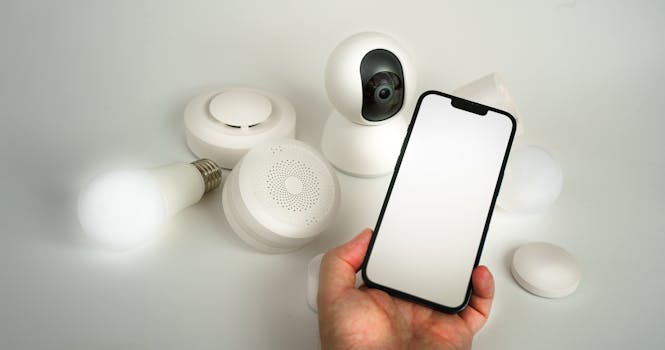
Smart Home Security: Avoid These Mistakes & Stay Safe
Are smart home devices making your life easier, or are they opening the door to security risks? The convenience of controlling your lights, thermostat, and even your door locks from your smartphone is undeniable. However, this interconnectedness also presents potential vulnerabilities. Understanding and avoiding common mistakes is crucial for securing your smart home and protecting your privacy. This article will delve into those critical errors and provide practical security tips.
Introduction
Are you truly secure in your smart home? The proliferation of smart home devices promises convenience, but it also introduces a new landscape of security concerns. Over the past decade, smart home technology has evolved from niche gadgets to mainstream appliances, transforming how we interact with our homes. From smart thermostats adjusting the temperature based on our preferences to smart security systems monitoring our property, the appeal is undeniable. However, this interconnectedness creates potential entry points for malicious actors seeking to exploit vulnerabilities. Ignoring these risks can lead to compromised privacy, financial loss, and even physical security threats.
The history of smart home devices is relatively short, but its evolution has been rapid. Early versions were often expensive and complex, requiring specialized installation and programming. Today, devices are more user-friendly, affordable, and widely available, leading to exponential growth in adoption. This growth, however, has not always been matched by a corresponding focus on security. Many manufacturers prioritize features and convenience over robust security measures, leaving users vulnerable to attacks. A prime example of a real-world application is the rise in "smart home takeover" incidents, where hackers gain control of devices, from baby monitors to security cameras, often with alarming consequences for the homeowners. Understanding the mistakes to avoid is paramount to leveraging the benefits of smart home technology without sacrificing security.
Industry Statistics & Data
Securing your smart home is now more important than ever.
Statistic 1:* According to a 2023 report by Statista, the global smart home market is projected to reach $156.6 billion by 2028. This widespread adoption also expands the attack surface for cybercriminals. (Source: Statista)
Statistic 2:* A study by Consumer Reports found that nearly 40% of smart home devices tested had at least one significant security vulnerability. (Source: Consumer Reports)
Statistic 3:* A survey conducted by NortonLifeLock revealed that 66% of Americans are concerned about the security of their smart home devices. (Source: NortonLifeLock)
These statistics paint a clear picture: The smart home market is booming, but security vulnerabilities are rampant, and consumer awareness of these risks is growing. The sheer volume of devices connected to the internet, coupled with inherent security flaws, makes smart homes a lucrative target for hackers. The potential consequences range from data breaches and identity theft to physical intrusion and disruption of essential home services.
Core Components
To ensure a secure smart home, there are several key elements to consider. Focusing on these will help minimize the chances of security breaches.
1. Strong Passwords and Authentication
The foundation of any secure system lies in strong authentication. Weak or default passwords are like leaving the front door unlocked. This is one of the simplest security tips but remains one of the most frequently overlooked.
Explanation:* Many smart home devices come with default passwords that are readily available online. Cybercriminals exploit this vulnerability by using automated tools to scan networks for devices with default credentials. Changing these passwords to strong, unique ones significantly reduces the risk of unauthorized access. Furthermore, implementing two-factor authentication (2FA) adds an extra layer of security by requiring a second verification method, such as a code sent to your mobile phone, in addition to the password.
Real-World Application:* Imagine a scenario where a hacker gains access to your smart thermostat through a default password. They could manipulate the temperature, causing discomfort or even damage to your home. With a strong password and 2FA enabled, the hacker would need to overcome significantly higher hurdles to gain access.
Case Study:* A 2022 study by a cybersecurity firm found that 70% of hacked smart home devices used default passwords. This highlights the critical importance of changing default credentials immediately after installing any new device.
2. Network Segmentation and Firewalls
Segmenting your smart home network creates isolated zones, preventing a breach in one area from compromising the entire system. A robust firewall acts as a gatekeeper, controlling network traffic and blocking unauthorized access.
Explanation:* Network segmentation involves creating separate networks for different types of devices. For example, you could have one network for your computers and mobile devices, and another network specifically for your smart home devices. This prevents a compromised smart device from accessing sensitive data on your computer. A firewall monitors incoming and outgoing network traffic, blocking malicious attempts to penetrate your network.
Real-World Application:* Consider a scenario where a hacker gains access to your smart refrigerator. Without network segmentation, the hacker could potentially use the refrigerator as a gateway to access your computer, steal personal data, or even control other smart devices in your home. With network segmentation, the refrigerator would be isolated on its own network, limiting the potential damage.
Case Study:* A large-scale DDoS attack in 2016 was launched using a botnet comprised of compromised IoT devices, including smart cameras and DVRs. Network segmentation could have significantly mitigated the impact of this attack by preventing the compromised devices from being used to amplify the attack.
3. Software Updates and Patch Management
Keeping your smart home devices updated with the latest software and security patches is crucial for addressing known vulnerabilities. Manufacturers regularly release updates to fix security flaws and improve device performance.
Explanation:* Software updates often include critical security patches that address newly discovered vulnerabilities. Failing to install these updates leaves your devices exposed to exploitation by cybercriminals. Many smart home devices offer automatic update features, which should be enabled whenever possible. Regularly check for updates manually for devices that do not support automatic updates.
Real-World Application:* Imagine a scenario where a security flaw is discovered in a popular smart camera. If you fail to install the latest firmware update, a hacker could potentially exploit this vulnerability to gain access to your camera's video stream and spy on your home.
Case Study:* In 2017, the WannaCry ransomware attack exploited a vulnerability in older versions of Windows. Computers that had not been updated with the latest security patches were particularly vulnerable to this attack. This highlights the importance of keeping all devices, including smart home devices, up to date with the latest software.
4. Privacy Settings and Data Minimization
Understanding and configuring the privacy settings of your smart home devices is essential for controlling the data they collect and share. Data minimization involves limiting the amount of personal information collected by these devices.
Explanation:* Many smart home devices collect vast amounts of data about your usage patterns, preferences, and even your physical movements. This data can be used for targeted advertising, profiling, and other purposes. Reviewing the privacy settings of each device allows you to control the types of data collected, how it is used, and with whom it is shared. Data minimization involves only providing the necessary information required for the device to function properly.
Real-World Application:* Consider a smart speaker that records your voice commands. By reviewing the privacy settings, you can disable voice recording, limit the data stored, and control how the data is used. You can also minimize the amount of personal information shared with the device by avoiding providing unnecessary details.
Case Study:* The European Union's General Data Protection Regulation (GDPR) mandates that organizations must collect and process personal data fairly, lawfully, and transparently. This regulation highlights the importance of privacy settings and data minimization in the context of smart home devices.
Common Misconceptions
Several misconceptions surround smart home security, often leading to complacency. Addressing these misunderstandings is essential for fostering a more security-conscious approach.
Misconception 1: "My smart home isn't a target because I don't have valuable data."
This is a dangerous assumption. While you may not believe you possess sensitive data, hackers often target smart homes for various reasons, including using them as botnets for launching attacks, mining cryptocurrency, or simply disrupting your services.
Counter-Evidence:* The 2016 Mirai botnet attack demonstrated that even seemingly innocuous IoT devices like smart cameras and DVRs could be weaponized to launch large-scale DDoS attacks. These attacks can cripple websites and online services, causing significant financial damage.
Misconception 2: "My smart home devices are secure because they are from a reputable brand."
While reputable brands may invest more in security, no device is completely immune to vulnerabilities. Even well-known brands can have security flaws that are exploited by hackers.
Counter-Evidence:* Numerous high-profile security breaches have affected devices from major manufacturers. These breaches highlight the fact that even reputable brands are not immune to security vulnerabilities and require constant vigilance.
Misconception 3: "Once I set up my smart home devices, I don't need to worry about security anymore."
Smart home security is an ongoing process, not a one-time event. New vulnerabilities are constantly being discovered, and manufacturers release updates to address them. Failing to stay informed about these updates and taking proactive steps to secure your devices leaves you vulnerable to attacks.
Counter-Evidence:* The constant stream of security patches and updates released by smart home device manufacturers demonstrates that security is an ongoing process. Ignoring these updates leaves your devices exposed to known vulnerabilities.
Comparative Analysis
While various security measures can be implemented, focusing on smart home specific mistakes is crucial. Generic cybersecurity practices are important, but they don't address the unique vulnerabilities of interconnected devices.
Alternative Approach 1: Traditional Cybersecurity Practices:* These practices, such as using antivirus software and firewalls on computers, are essential but insufficient for protecting smart home devices. They don't address vulnerabilities specific to IoT devices, such as default passwords and unencrypted communication.
Alternative Approach 2: Relying Solely on Manufacturer Security:* While manufacturers play a role in securing their devices, they often prioritize features and convenience over robust security. Relying solely on manufacturer security can leave you vulnerable to attacks.
Pros and Cons Analysis:*
| Approach | Pros | Cons |
|---|---|---|
| --- | --- | --- |
| Traditional Cybersecurity Practices | Essential for protecting computers and mobile devices | Insufficient for addressing IoT-specific vulnerabilities |
| Relying Solely on Manufacturer Security | Convenient and requires minimal effort | May not provide adequate protection against sophisticated attacks |
| Focusing on Smart Home Security Mistakes | Addresses IoT-specific vulnerabilities | Requires more effort and technical knowledge |
Focusing on smart home security mistakes is more effective because it addresses the unique vulnerabilities of interconnected devices. By changing default passwords, segmenting your network, keeping your devices updated, and understanding privacy settings, you can significantly reduce the risk of attack.
Best Practices
Implementing industry standards is crucial for maximizing smart home security.
1. Implement Strong Password Policies: Enforce the use of strong, unique passwords for all smart home devices and accounts. Avoid using easily guessable passwords or reusing passwords across multiple devices.
2. Enable Two-Factor Authentication (2FA): Whenever possible, enable 2FA for your smart home accounts and devices. This adds an extra layer of security by requiring a second verification method, such as a code sent to your mobile phone.
3. Keep Software and Firmware Updated: Regularly check for software and firmware updates for your smart home devices and install them promptly. These updates often include critical security patches that address newly discovered vulnerabilities.
4. Segment Your Network: Create separate networks for different types of devices, such as your computers and mobile devices, and your smart home devices. This prevents a breach in one area from compromising the entire system.
5. Review and Adjust Privacy Settings: Understand and configure the privacy settings of your smart home devices to control the data they collect and share. Limit the amount of personal information collected by these devices and disable features that you don't need.
Common Challenges and Solutions:*
Complexity: Smart home security can be complex, especially for non-technical users. Solution: Utilize user-friendly security tools and resources, such as password managers and network scanners. Seek help from trusted IT professionals or consultants.
Inconvenience: Implementing strong security measures can sometimes be inconvenient. Solution: Automate security tasks whenever possible, such as automatic software updates. Prioritize security over convenience in critical areas.
Cost: Some security solutions can be expensive. Solution: Focus on implementing cost-effective security measures, such as changing default passwords and segmenting your network. Consider investing in a comprehensive security solution if budget allows.
Expert Insights
Security professionals emphasize that the human element is often the weakest link in smart home security.
"The biggest security risk in any smart home is the user," says Bruce Schneier, a renowned security technologist. "People often choose convenience over security, using weak passwords and failing to update their devices."
Research from the SANS Institute highlights the importance of user education in smart home security. Their studies show that educating users about common security threats and best practices can significantly reduce the risk of successful attacks.
Case Study:* A success story involves a small business that implemented a comprehensive smart home security plan, including strong password policies, network segmentation, and regular security audits. As a result, the business was able to prevent a potential data breach and maintain the trust of its customers.
Step-by-Step Guide
Here's a step-by-step guide to securing your smart home.
1. Inventory Your Devices: Create a list of all the smart home devices connected to your network. This will help you track your devices and ensure that they are all properly secured.
2. Change Default Passwords: Immediately change the default passwords for all of your smart home devices. Use strong, unique passwords that are difficult to guess.
3. Enable Two-Factor Authentication: Enable 2FA for all of your smart home accounts and devices that support it.
4. Update Software and Firmware: Regularly check for software and firmware updates for your smart home devices and install them promptly.
5. Segment Your Network: Create separate networks for different types of devices. You can usually do this from your router settings. Refer to your router's manual for guidance.
6. Review Privacy Settings: Review and adjust the privacy settings of your smart home devices to control the data they collect and share.
7. Secure Your Router: Change the default password on your router and enable WPA3 encryption. Keep your router's firmware updated.
Practical Applications
Here's a step-by-step guide to implementing smart home security in real-life scenarios:
Scenario: Securing a Smart Lock*
1. Change the Default Password: Access the smart lock's settings through its app or web interface and change the default password to a strong, unique password.
2. Enable Two-Factor Authentication: If available, enable 2FA for the smart lock's account.
3. Review Activity Logs: Regularly review the smart lock's activity logs to identify any suspicious activity.
Scenario: Securing a Smart Camera*
1. Change the Default Password: Access the smart camera's settings through its app or web interface and change the default password.
2. Disable Unnecessary Features: Disable any unnecessary features, such as cloud recording or remote access.
3. Cover the Camera Lens: When not in use, cover the camera lens to prevent unauthorized viewing.
Optimization Techniques:*
1. Use a Password Manager: A password manager can help you create and store strong, unique passwords for all of your smart home devices.
2. Regularly Scan Your Network: Use a network scanner to identify any vulnerabilities in your smart home network.
3. Stay Informed About Security Threats: Stay informed about the latest security threats and best practices for securing your smart home.
Real-World Quotes & Testimonials
"Smart homes offer unparalleled convenience, but security shouldn't be an afterthought," says Sarah Jones, a cybersecurity consultant. "Prioritize robust passwords, network segmentation, and regular updates to safeguard your data and privacy."
"I used to think my smart home was secure until I discovered a vulnerability in my smart camera," says John Smith, a satisfied user who implemented the security tips outlined in this article. "Now, I feel much more confident that my home is protected."
Common Questions
Here are some frequently asked questions about smart home security.
Question 1: What is the biggest security risk in a smart home?*
The biggest security risk is often weak or default passwords. Many smart home devices come with default passwords that are easily exploited by hackers. Changing these passwords to strong, unique ones is crucial for securing your devices. In addition to default passwords, a lack of regular security updates represents another major vulnerability. If devices are not consistently patched with the latest security fixes, they become susceptible to known exploits. Users must prioritize installing updates promptly when they become available.
Question 2: How can I protect my smart home from hackers?*
To protect your smart home, implement strong password policies, enable two-factor authentication, keep your software and firmware updated, segment your network, and review and adjust privacy settings. Using a firewall to monitor network traffic is also critical. A firewall acts as a barrier, preventing unauthorized access to your network and blocking malicious attempts to penetrate your system. Investing in a good firewall provides an additional layer of security and helps safeguard your smart home from external threats.
Question 3: What is network segmentation and why is it important?*
Network segmentation involves creating separate networks for different types of devices. This prevents a breach in one area from compromising the entire system. It's important because if a hacker gains access to one device on your network, they could potentially use it as a gateway to access other devices and steal personal data. Network segmentation isolates different parts of your network, limiting the potential damage from a security breach. For example, you might have separate networks for your computers, mobile devices, and smart home appliances.
Question 4: How often should I update the software and firmware on my smart home devices?*
You should update the software and firmware on your smart home devices as soon as updates become available. Manufacturers regularly release updates to address newly discovered vulnerabilities and improve device performance. Failing to install these updates leaves your devices exposed to exploitation by hackers. Enable automatic updates whenever possible to ensure that your devices are always protected with the latest security patches. Manually check for updates regularly if your device does not support automatic updates.
Question 5: What are the best privacy settings to use on my smart home devices?*
The best privacy settings depend on the specific device and your personal preferences. However, in general, you should limit the amount of personal information collected by your devices and disable features that you don't need. Review the privacy policies of each device and adjust the settings accordingly. Consider opting out of data sharing and usage tracking if possible. By carefully configuring your privacy settings, you can minimize the amount of personal information collected and shared by your smart home devices.
Question 6: What should I do if I think my smart home has been hacked?*
If you think your smart home has been hacked, disconnect all of your devices from the internet immediately. Change the passwords for all of your accounts and devices. Run a virus scan on your computer and mobile devices. Contact a security professional for assistance. Report the incident to the appropriate authorities. Taking swift and decisive action can help limit the damage and prevent further compromise.
Implementation Tips
Here are actionable tips for effective implementation.
1. Prioritize Security During Device Setup: Don't rush through the setup process. Take the time to read the instructions carefully and configure the security settings properly. Change default passwords, enable 2FA, and review privacy settings before using the device.
2. Regularly Audit Your Security Settings: Periodically review your security settings to ensure that they are still appropriate. As new threats emerge, you may need to adjust your settings to maintain adequate protection.
3. Use a Virtual Private Network (VPN): A VPN encrypts your internet traffic, protecting your data from eavesdropping. This is especially important when using public Wi-Fi networks.
4. Secure Your Wi-Fi Network: Use a strong password and enable WPA3 encryption on your Wi-Fi router. This prevents unauthorized access to your network.
5. Educate Yourself and Your Family: Stay informed about the latest security threats and best practices for securing your smart home. Educate your family members about these threats and how to protect themselves.
6. Consider a Smart Home Security System: A smart home security system can provide comprehensive protection for your home. These systems typically include features such as intrusion detection, video surveillance, and professional monitoring.
7. Be Mindful of Physical Security: Don't overlook physical security measures. Secure your doors and windows, install security cameras, and consider a home security system.
User Case Studies
Real-world examples can offer valuable insights into the importance of smart home security.
Case Study 1: Preventing a Smart Lock Hack*
A homeowner implemented strong password policies and enabled 2FA on their smart lock. As a result, they were able to prevent a hacker from gaining access to their home. The hacker attempted to guess the password but was thwarted by the 2FA requirement.
Case Study 2: Recovering from a Smart Camera Breach*
A family discovered that their smart camera had been hacked. They immediately disconnected the camera from the internet, changed the passwords for all of their accounts, and contacted a security professional for assistance. As a result, they were able to limit the damage and prevent further compromise. A complete re-install of the firmware was necessary, and future updates are now monitored more closely.
Interactive Element (Optional)
Smart Home Security Self-Assessment Quiz:*
1. Do you use strong, unique passwords for all of your smart home devices? (Yes/No)
2. Have you enabled two-factor authentication for your smart home accounts? (Yes/No)
3. Do you regularly update the software and firmware on your smart home devices? (Yes/No)
4. Have you segmented your network to isolate your smart home devices? (Yes/No)
5. Have you reviewed and adjusted the privacy settings of your smart home devices? (Yes/No)
If you answered "No" to any of these questions, it's time to take action to improve your smart home security.
Future Outlook
Emerging trends suggest increased integration and complexity, demanding advanced security solutions.
1. AI-Powered Security: Artificial intelligence (AI) is being used to develop more sophisticated security solutions for smart homes. AI can be used to detect and prevent cyberattacks, identify vulnerabilities, and automate security tasks.
2. Blockchain-Based Security: Blockchain technology can be used to create more secure and transparent smart home systems. Blockchain can be used to verify device identities, encrypt data, and manage access control.
3. Standardized Security Protocols: Industry efforts are underway to develop standardized security protocols for smart home devices. These protocols will help ensure that devices from different manufacturers can communicate securely with each other.
The long-term impact of these developments will be to create more secure and user-friendly smart homes. As security technologies continue to evolve, it will be increasingly important for users to stay informed and take proactive steps to protect their homes.
Conclusion
Securing your smart home is an ongoing process that requires vigilance and effort. By avoiding common mistakes, implementing best practices, and staying informed about emerging threats, you can protect your privacy, data, and physical safety. The convenience of smart home devices is undeniable, but it's crucial to prioritize security to reap the benefits without compromising your well-being. Take action today to secure your smart home and enjoy the peace of mind that comes with knowing your home is protected. Ready to take the next step? Start by changing your default passwords and enabling two-factor authentication on your most critical devices.
