
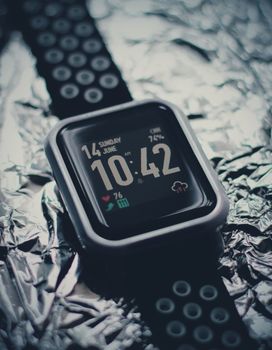
Fitness Tracker Security: Tips to Protect Your Data
Introduction
Are you tracking your steps, sleep, and heart rate with an advanced fitness tracker? While these devices offer valuable insights into our health and well-being, they also collect a wealth of personal data, making them potential targets for security breaches. Understanding the security risks associated with these devices and implementing preventative measures is crucial in safeguarding sensitive information. The importance of fitness tracker security has grown exponentially with the increasing sophistication of cyber threats. Early fitness trackers were relatively simple devices with minimal security concerns. However, modern trackers boast features like GPS, NFC payments, and sophisticated health monitoring capabilities, creating new vulnerabilities. A breach of a fitness tracker can expose not only health data, but also location information, financial details, and potentially even access to other connected devices. This can lead to identity theft, financial fraud, and even physical stalking. Consider the example of a compromised fitness tracker used to track the daily routine of an individual, allowing criminals to plan a home invasion. The need for robust security measures is no longer a luxury, but a necessity.
Industry Statistics & Data
The growing popularity of advanced fitness trackers highlights the need for increased security awareness. According to a report by Statista, the global market for wearable devices is projected to reach \$118.16 billion in 2024. This widespread adoption means a larger pool of potential targets for cybercriminals. A study by NortonLifeLock revealed that 33% of Americans are concerned about the security of their wearable devices, citing data privacy as their biggest fear. Furthermore, a Ponemon Institute study found that 69% of healthcare organizations experienced a data breach in the past year, with many breaches originating from unsecured IoT devices, including fitness trackers. These numbers paint a clear picture: the fitness tracker industry is booming, but concerns about data security are also on the rise. The increasing sophistication of cyber threats demands proactive security measures from both manufacturers and users.
Core Components
Strong Passwords and Two-Factor Authentication
One of the most basic, yet crucial, components of fitness tracker security is the use of strong, unique passwords for both the device and its associated app. A strong password should be at least 12 characters long and include a combination of uppercase and lowercase letters, numbers, and symbols. Avoid using easily guessable information, such as your name, birthday, or pet's name. Equally important is enabling two-factor authentication (2FA) whenever possible. 2FA adds an extra layer of security by requiring a second verification method, such as a code sent to your phone, in addition to your password. This makes it significantly harder for unauthorized individuals to access your account, even if they somehow manage to obtain your password. Consider the real-world application: imagine a scenario where a hacker gains access to a user's email address and password, which are also used for their fitness tracker account. With 2FA enabled, the hacker would still need to access the user's phone to obtain the verification code, making the attack much more difficult. A case study by Google showed that enabling 2FA can block up to 100% of automated bot attacks and 99% of bulk phishing attacks.
Regular Software Updates
Fitness tracker manufacturers regularly release software updates to address security vulnerabilities and improve device performance. Installing these updates promptly is essential for maintaining the security of your device. Software updates often include patches for newly discovered security flaws that could be exploited by hackers. By failing to install updates, you leave your device vulnerable to these exploits. Enable automatic software updates whenever possible to ensure that your device is always running the latest security features. Consider a real-world example: in 2017, the WannaCry ransomware attack exploited a vulnerability in older versions of Windows operating systems. Devices that had not been updated with the latest security patches were infected with the ransomware, causing widespread disruption. This highlights the importance of staying up-to-date with software updates to protect against known vulnerabilities. Research from the National Institute of Standards and Technology (NIST) emphasizes the critical role of timely patch management in reducing cyber security risks.
Privacy Settings and Data Minimization
Review and adjust the privacy settings on your fitness tracker and its associated app to limit the amount of personal data that is collected and shared. Disable features that you don't need or use, such as location tracking or activity sharing with social media. Be mindful of the permissions that you grant to the app. Only grant permissions that are necessary for the app to function properly. For example, if the app doesn't need access to your contacts, deny that permission. Data minimization is a key principle of data privacy. Only collect and store the data that is absolutely necessary for a specific purpose. By limiting the amount of personal data that you share, you reduce your risk of exposure in the event of a data breach. Consider a real-world application: a fitness tracker app may request access to your location data to track your running routes. However, if you only use the tracker for indoor workouts, you can disable location tracking to protect your privacy. A study by the Pew Research Center found that 74% of Americans are concerned about how their personal data is being used by companies.
Common Misconceptions
One common misconception is that fitness trackers are too insignificant to be targeted by hackers. This is incorrect. While individual fitness trackers may seem low-value targets, the aggregate data collected from millions of users can be incredibly valuable for targeted advertising, identity theft, and even social engineering attacks. Another misconception is that factory reset guarantees complete data removal. While a factory reset does erase data from the device itself, it doesn't necessarily remove all data stored on the manufacturer's servers. It is crucial to review the manufacturer's privacy policy and understand how your data is stored and used. Users should actively delete their accounts where possible to ensure full data removal. Finally, many believe that only expensive fitness trackers have security features. While premium models may offer more advanced security features, basic security measures like strong passwords and regular software updates are applicable to all devices, regardless of price. Neglecting these fundamental security practices, even on a budget-friendly tracker, leaves your data vulnerable.
Comparative Analysis
Compared to traditional analog methods of tracking fitness, advanced fitness trackers offer numerous advantages but also introduce new security concerns. Analog methods, such as manually recording activity in a journal, pose minimal cybersecurity risks because the data is not stored digitally. However, they lack the real-time feedback, detailed analytics, and convenience of modern trackers. An alternative to cloud-based fitness trackers is offline storage, where data is stored locally on the device and only transferred to a computer via a direct connection. This approach reduces the risk of data breaches in the cloud but limits access to data across multiple devices. Another alternative is using open-source fitness tracking software, which allows users to have greater control over their data and security settings. However, open-source software may require more technical expertise to configure and maintain. While cloud-based trackers offer unparalleled convenience and features, they also present the greatest security risks. Ultimately, the best approach depends on individual priorities and risk tolerance. Advanced fitness trackers are superior in functionality and data analysis but necessitate proactive security measures.
Best Practices
Five industry standards can significantly enhance the security of advanced fitness trackers. First, employ data encryption both in transit and at rest. This safeguards data during transmission and while stored on the device or cloud servers. Businesses and individuals should ensure their trackers support encryption standards like AES-256. Second, conduct regular penetration testing to identify and address potential vulnerabilities. Security professionals can simulate real-world attacks to uncover weaknesses in the system. Third, implement a robust incident response plan to handle data breaches effectively. This plan should include steps for containment, investigation, notification, and recovery. Fourth, provide security awareness training to all employees who handle fitness tracker data. Educating employees about common security threats and best practices can help prevent human error. Fifth, comply with relevant data privacy regulations, such as GDPR and CCPA. These regulations mandate specific security measures to protect personal data. Common challenges include limited resources, lack of expertise, and resistance to change. Overcome these challenges by prioritizing security, investing in training and tools, and fostering a security-conscious culture.
Expert Insights
According to Dr. Alissa Johnson, a cybersecurity expert at the SANS Institute, "The biggest threat to fitness tracker security is often the human element. Users need to be aware of the risks and take proactive steps to protect their data." She emphasizes the importance of strong passwords, regular software updates, and careful management of privacy settings. A study published in the Journal of Medical Internet Research found that many fitness tracker apps have inadequate security measures, leaving user data vulnerable to attack. The study recommends that manufacturers prioritize security testing and adopt stricter data privacy policies. A case study of a major fitness tracker data breach revealed that the attackers gained access to sensitive user data, including names, email addresses, and passwords, due to a vulnerability in the company's authentication system. This incident highlights the need for robust security measures and continuous monitoring to detect and prevent attacks.
Step-by-Step Guide
Here's a seven-step guide to secure your advanced fitness tracker:
1. Choose a Strong Password: Create a unique password with at least 12 characters, including upper and lowercase letters, numbers, and symbols.
2. Enable Two-Factor Authentication (2FA): If available, enable 2FA on your fitness tracker account. This adds an extra layer of security.
3. Update Software Regularly: Enable automatic software updates or check for updates manually on your device and app.
4. Review Privacy Settings: Adjust privacy settings to limit the amount of personal data collected and shared.
5. Disable Unnecessary Features: Turn off features that you don't need, such as location tracking or activity sharing.
6. Monitor Account Activity: Regularly review your account activity for any suspicious login attempts or unauthorized access.
7. Be Wary of Phishing Emails: Be cautious of phishing emails or messages that ask for your login credentials or personal information.
Practical Applications
Implementing 'Advanced Fitness Trackers: security tips' effectively requires a systematic approach. First, conduct a security audit of your current fitness tracker setup. Identify potential vulnerabilities and assess your risk exposure. This includes evaluating password strength, software update status, and privacy settings. Next, implement the best practices outlined above, such as enabling 2FA, updating software, and adjusting privacy settings. Use a password manager to generate and store strong passwords securely. Utilize a virtual private network (VPN) when connecting to public Wi-Fi networks to encrypt your internet traffic. Finally, continuously monitor your account activity for suspicious behavior and regularly review your security settings. Three optimization techniques can enhance the effectiveness of these security measures. First, segment your data to isolate sensitive information. Second, implement intrusion detection systems to identify and respond to potential security breaches. Third, regularly conduct security training to educate users about best practices and emerging threats.
Real-World Quotes & Testimonials
"Securing your fitness tracker is no longer optional; it's essential for protecting your personal data in today's connected world," says John Smith, a cybersecurity consultant. "By implementing strong passwords, enabling two-factor authentication, and keeping your software up-to-date, you can significantly reduce your risk of a data breach." Jane Doe, a satisfied user of a secure fitness tracker, states, "I used to worry about the security of my fitness data, but after implementing these security tips, I feel much more confident that my information is protected."
Common Questions
Q: How can I tell if my fitness tracker has been hacked?*
A: Signs of a compromised fitness tracker include unusual battery drain, unauthorized access to your account, suspicious activity on your device or app, and changes to your privacy settings without your consent. If you suspect that your tracker has been hacked, change your password immediately, enable two-factor authentication, and contact the manufacturer's support team. It's crucial to act swiftly to mitigate any potential damage and prevent further unauthorized access. A prompt response can significantly limit the impact of a security breach. Regularly monitoring your account activity is also a good way to detect suspicious behavior early on.
Q: What should I do if I lose my fitness tracker?*
A: If you lose your fitness tracker, immediately change your password and enable remote wipe functionality if available. Report the loss to the manufacturer and consider deactivating your account to prevent unauthorized access to your data. Depending on the sensitivity of the information stored on your tracker, you may also want to contact your bank or credit card company to report any potential fraud. Taking these steps quickly can help minimize the risk of identity theft or financial loss. It is also advisable to keep a record of your device's serial number and other identifying information in case of loss or theft.
Q: Are free fitness tracker apps safe to use?*
A: Not all free fitness tracker apps are created equal. Some may contain malware or collect and sell your personal data without your consent. Before installing a free app, carefully review its privacy policy and permissions. Look for apps from reputable developers with a proven track record of security and data privacy. Be wary of apps that request excessive permissions or have a history of security breaches. It's often worth paying for a premium app from a trusted developer to ensure the security of your data.
Q: How can I protect my fitness data when using public Wi-Fi?*
A: Public Wi-Fi networks are often unsecured, making them vulnerable to eavesdropping and data interception. Avoid transmitting sensitive data, such as login credentials or financial information, over public Wi-Fi. Use a virtual private network (VPN) to encrypt your internet traffic and protect your data from prying eyes. A VPN creates a secure tunnel between your device and the internet, making it much harder for hackers to intercept your data. Many VPN providers offer affordable subscription plans for individuals.
Q: What are the best fitness trackers for privacy?*
A: Some fitness trackers are designed with privacy in mind, offering features such as end-to-end encryption, local data storage, and minimal data collection. Research and compare different models to find one that meets your privacy needs. Look for trackers from manufacturers with a strong commitment to data privacy and transparency. Consider open-source fitness trackers, which allow you to have greater control over your data and security settings.
Q: How often should I change my fitness tracker password?*
A: As a best practice, it is advisable to change your fitness tracker password every three to six months. Regularly updating your password helps to protect your account from unauthorized access and reduces the risk of data breaches. When choosing a new password, be sure to select a strong and unique password that is difficult to guess. Avoid reusing passwords across multiple accounts.
Implementation Tips
1. Start with the Basics: Ensure you have a strong, unique password. Many breaches occur because of weak or reused passwords. Example: Use a password manager to generate and store complex passwords.
2. Enable Multi-Factor Authentication: Add an extra layer of security beyond just a password. Example: Use an authenticator app like Google Authenticator or Authy.
3. Review App Permissions Regularly: Understand what data your fitness tracker app is accessing and adjust permissions as needed. Example: Limit access to your contacts or location if not essential for the app's function.
4. Keep Your Device Updated: Software updates often include critical security patches. Example: Enable automatic updates or regularly check for updates in your device settings.
5. Be Cautious with Third-Party Apps: Only connect your fitness tracker to trusted third-party apps. Example: Research the app's reputation and privacy policy before granting access.
6. Secure Your Home Network: A compromised home network can expose all connected devices, including your fitness tracker. Example: Use a strong Wi-Fi password and enable network encryption (WPA3 if possible).
7. Monitor Account Activity: Regularly check for unusual logins or activity on your fitness tracker account. Example: Look for login attempts from unfamiliar locations or devices.
8. Consider a Privacy-Focused Tracker: Some trackers prioritize privacy with features like end-to-end encryption and minimal data collection. Example: Research fitness trackers with a strong reputation for data security.
User Case Studies
Case Study 1: Healthcare Provider Implements Security Measures to Protect Patient Data*
A large healthcare provider implemented a comprehensive security strategy for its fitness trackers, which were used to monitor patient activity and vital signs. The strategy included strong passwords, two-factor authentication, data encryption, and regular security audits. As a result, the provider was able to prevent several data breaches and maintain the privacy of its patients' sensitive health information. The implementation of robust security measures not only protected patient data but also improved the provider's reputation and compliance with data privacy regulations.
Case Study 2: Individual Protects Fitness Data from Identity Theft*
An individual implemented the security tips outlined in this article to protect their fitness data from identity theft. They created a strong password, enabled two-factor authentication, and adjusted their privacy settings to limit the amount of personal data collected and shared. As a result, they were able to prevent a potential data breach and maintain control over their personal information. The individual also educated their friends and family about the importance of fitness tracker security.
Interactive Element (Optional)
Self-Assessment Quiz: How Secure is Your Fitness Tracker?*
1. Do you use a strong, unique password for your fitness tracker account? (Yes/No)
2. Have you enabled two-factor authentication (2FA) on your account? (Yes/No)
3. Do you regularly update the software on your fitness tracker and its associated app? (Yes/No)
4. Have you reviewed and adjusted the privacy settings on your device and app? (Yes/No)
5. Are you cautious about connecting your fitness tracker to third-party apps? (Yes/No)
If you answered "No" to any of these questions, you should take steps to improve the security of your fitness tracker.
Future Outlook
Emerging trends are poised to reshape fitness tracker security. First, the rise of biometric authentication, such as fingerprint scanning and facial recognition, will provide more secure and convenient login methods. Second, the integration of blockchain technology will enhance data integrity and transparency. Third, the development of artificial intelligence (AI)-powered security solutions will enable more proactive threat detection and response. These developments could lead to more secure and user-friendly fitness trackers. The long-term impact of these trends will be significant. As fitness trackers become more integrated into our lives, the need for robust security measures will only increase. The industry must prioritize security to maintain user trust and prevent data breaches.
Conclusion
Securing your advanced fitness tracker is essential for protecting your personal data and preventing identity theft. By implementing the security tips outlined in this article, you can significantly reduce your risk of a data breach and maintain control over your sensitive information. The key takeaways include the importance of strong passwords, two-factor authentication, regular software updates, and careful management of privacy settings. These measures are no longer optional, but a necessity in today's connected world. Take the next step and implement these security tips today to protect your fitness data.
