
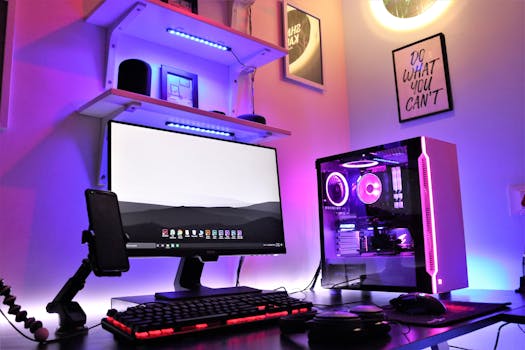
PC Gaming Build: Pros & Cons + Expert Tips to Maximize Performance
Introduction
Embarking on the journey of building a personal computer for gaming is both exciting and daunting. Is it worth the investment to craft a bespoke gaming machine, or is it better to buy a pre-built system? Understanding the pros and cons of PC gaming builds is crucial for making an informed decision. This comprehensive guide offers expert tips to navigate the complexities of building a gaming PC, ensuring optimal performance and long-term satisfaction. PC gaming has evolved significantly since its early days, transitioning from simple arcade ports to graphically demanding, immersive experiences. Initially, consoles dominated due to their simplicity and affordability. However, the allure of customization, superior graphics potential, and a vast game library propelled PC gaming into a prominent position. Today, PC gaming caters to a diverse range of players, from casual gamers to esports professionals. Building your own PC offers significant benefits, including the ability to choose components tailored to specific gaming needs and budget constraints. For example, a graphic designer who also enjoys gaming could build a PC that excels in both creative tasks and running demanding titles.
Industry Statistics & Data
The gaming industry is a multi-billion dollar powerhouse, and PC gaming represents a significant portion of that market. Here are some key statistics:
1. According to a report by Statista, the PC gaming market is projected to generate $40.83 billion in revenue in 2024. This demonstrates the sustained popularity and economic impact of PC gaming.
2. Jon Peddie Research indicates that discrete GPUs (graphics processing units) for gaming PCs are experiencing strong demand, with shipments expected to grow significantly over the next few years, reaching hundreds of millions units annually. This highlights the ongoing investment in hardware by PC gamers.
3. Newzoo reports that there are over 1.75 billion PC gamers worldwide. This vast audience fuels innovation and competition within the PC gaming hardware and software markets.
These figures underscore the importance of understanding the pros and cons of PC gaming builds. The market is substantial, and the demand for high-performance hardware is growing, creating opportunities for both consumers and manufacturers. Building a custom PC allows gamers to take advantage of the latest technologies and tailor their systems to their specific needs.
Core Components
Building a gaming PC involves several crucial components, each playing a vital role in overall performance. Here, three key elements—the CPU, GPU, and RAM—will be analyzed in detail.
Central Processing Unit (CPU)
The CPU acts as the brain of the PC, handling instructions and calculations. For gaming, a powerful CPU ensures smooth gameplay, especially in CPU-intensive games and tasks like streaming or video editing. Choosing the right CPU involves considering factors like clock speed, core count, and cache size. A higher clock speed generally translates to faster processing, while more cores allow the CPU to handle multiple tasks simultaneously. Real-world applications of a strong CPU include maintaining high frame rates in open-world games like Grand Theft Auto V or Cyberpunk 2077, where the CPU manages complex game logic and AI. Case studies have shown that upgrading from a mid-range to a high-end CPU can dramatically improve minimum frame rates, reducing stuttering and providing a more consistent gaming experience. Consider research examples like benchmarks comparing different CPU models in gaming scenarios, such as those conducted by websites like Tom's Hardware or Gamers Nexus, which highlight the performance differences and help in making informed decisions.
Graphics Processing Unit (GPU)
The GPU is responsible for rendering images and graphics, directly impacting the visual fidelity and performance of games. A powerful GPU is essential for playing modern games at high resolutions and frame rates. Key specifications include memory (VRAM), clock speed, and the architecture of the GPU. For example, playing games at 4K resolution requires a GPU with substantial VRAM (8GB or more) to handle the large textures and data. Research examples include the impact of ray tracing capabilities. Ray tracing adds realism by simulating how light interacts with objects, but it demands significant GPU power. NVIDIA's RTX series and AMD's Radeon RX series GPUs are specifically designed to handle ray tracing, but even these powerful cards can struggle at higher resolutions. Choosing the right GPU is about balancing performance with budget and considering the types of games played. Case studies of GPU performance in specific games, conducted by tech reviewers, provide valuable insights into real-world performance and help gamers select the optimal GPU for their needs.
Random Access Memory (RAM)
RAM provides temporary storage for data that the CPU and GPU need to access quickly. Sufficient RAM is crucial for smooth multitasking and preventing games from stuttering or crashing. Insufficient RAM can lead to performance bottlenecks, as the system relies more heavily on the slower hard drive or SSD for data storage. For modern gaming, 16GB of RAM is generally considered the sweet spot, allowing for comfortable multitasking while gaming. 32GB of RAM is beneficial for more demanding tasks like streaming or video editing alongside gaming. Research demonstrates that increasing RAM beyond a certain point yields diminishing returns in gaming performance. However, having enough RAM is essential to avoid performance issues. The speed of RAM is also a factor, with faster RAM providing slightly better performance, particularly in CPU-intensive games. Real-world application: Imagine attempting to play a complex simulation game like Cities: Skylines with only 8GB of RAM. The game might run, but performance would likely suffer as the system constantly swaps data between RAM and the hard drive. Upgrading to 16GB or 32GB of RAM would significantly improve performance and allow for smoother gameplay.
Common Misconceptions
Several misconceptions surround building a PC for gaming, often leading to suboptimal choices and wasted resources.
1. More expensive components always mean better performance: This is untrue. Compatibility and balance are crucial. Overspending on a top-tier GPU while pairing it with an underpowered CPU creates a bottleneck, limiting the GPU's potential. Counter-evidence lies in benchmark tests showing that a balanced system often outperforms an unbalanced one, even if the balanced system has slightly less expensive components overall.
2. Liquid cooling is always superior to air cooling: Liquid cooling can offer better thermal performance, but it's not always necessary or practical. High-end air coolers can often provide comparable cooling performance, especially for CPUs that aren't heavily overclocked. Furthermore, liquid cooling systems are more complex and prone to leaks, potentially damaging other components. Real-world examples show many successful high-performance gaming PCs using air coolers, demonstrating that liquid cooling isn't a prerequisite for optimal performance.
3. You need the latest and greatest components to play modern games: This isn't always the case. While the newest hardware offers the best performance, many games are optimized to run on older hardware with reduced settings. Furthermore, buying slightly older components can save significant money without sacrificing too much performance. A real-world example is building a PC using a previous-generation GPU, which can still provide excellent performance at 1080p or 1440p resolution for most games.
Comparative Analysis
Comparing building a gaming PC with buying a pre-built system reveals distinct advantages and disadvantages. Building allows for customization and control over component selection, enabling tailored performance and future upgradability. Pre-built systems offer convenience and immediate usability, often with warranties covering the entire system.
Building a PC:*
Pros: Greater customization, potentially lower cost (depending on component choices), satisfaction of building it yourself, easier upgradability.
Cons: Time-consuming, requires technical knowledge, potential for compatibility issues, no single warranty covering the entire system.
Pre-built PC:*
Pros: Convenient, ready to use out of the box, single warranty covering the entire system, often comes with pre-installed software.
Cons: Limited customization, potential for lower-quality components, may be more expensive than building, upgradability may be restricted.
Building a PC is more effective for individuals who want to optimize performance for specific games or tasks, are comfortable with hardware troubleshooting, and enjoy the process of assembling a system. Pre-built systems are better suited for those who prioritize convenience, want a ready-to-go solution, and prefer the security of a comprehensive warranty.
Best Practices
Adhering to industry standards is crucial for a successful PC gaming build. Five best practices include:
1. Research component compatibility: Ensure that the CPU, motherboard, RAM, and other components are compatible with each other. Use compatibility checkers offered by component manufacturers or online PC building tools like PCPartPicker.
2. Invest in a reliable power supply (PSU): A high-quality PSU protects components from power surges and provides stable power delivery. Calculate the total power requirements of the system and choose a PSU with sufficient wattage and 80+ certification.
3. Proper cable management: Organize cables neatly within the PC case to improve airflow and aesthetics. Use cable ties or zip ties to bundle and secure cables.
4. Apply thermal paste correctly: Ensure proper heat transfer between the CPU and cooler by applying a thin, even layer of thermal paste. Avoid applying too much or too little paste.
5. Test and monitor the system: After building the PC, run stress tests and monitor temperatures to ensure that the components are functioning correctly. Use software like HWMonitor to track CPU and GPU temperatures.
Common challenges include component failures, BIOS updates, and driver issues. Overcoming these challenges involves troubleshooting steps like reseating components, updating the BIOS to the latest version, and installing the correct drivers for each component.
Expert Insights
Industry experts emphasize the importance of planning and research when building a gaming PC. According to Linus Sebastian, founder of Linus Tech Tips, "Do your research! Understand the specifications of each component and how they will impact your gaming experience." Research findings from Puget Systems, a custom PC builder, indicate that the choice of storage device (SSD vs. HDD) has a significant impact on game loading times and overall system responsiveness. Case studies of successful PC builds often highlight the benefits of choosing high-quality components and investing in proper cooling solutions. One example is a custom water-cooled system designed for extreme overclocking, which demonstrates the potential for maximizing performance through careful planning and execution.
Step-by-Step Guide
Building a gaming PC can be a rewarding experience. Here is a simplified step-by-step guide:
1. Plan the build: Choose components based on budget, performance goals, and compatibility.
2. Gather tools: Collect necessary tools like a screwdriver, anti-static wrist strap, and cable ties.
3. Install CPU on motherboard: Carefully align and install the CPU into the motherboard socket.
4. Install RAM: Insert RAM modules into the appropriate slots on the motherboard.
5. Mount CPU cooler: Attach the CPU cooler to the motherboard, ensuring proper contact with the CPU.
6. Install motherboard in case: Mount the motherboard inside the PC case.
7. Install GPU: Insert the GPU into the PCIe slot on the motherboard.
8. Install storage devices: Connect SSDs and hard drives to the motherboard and PSU.
9. Connect PSU: Connect the PSU to the motherboard and other components.
10. Cable management: Organize and secure cables inside the case.
11. Install operating system: Install Windows or another operating system.
12. Install drivers: Install drivers for each component.
13. Test the system: Run stress tests to ensure stability.
Practical Applications
Implementing the pros and cons of PC gaming builds in real-life scenarios involves choosing the right components for specific needs. If the main objective is playing the latest AAA titles at 4K resolution, prioritize a powerful GPU and a high-resolution monitor. Conversely, if the focus is on esports titles that require high frame rates, prioritize a fast CPU and a high refresh rate monitor.
Essential tools and resources include:
PCPartPicker: For checking component compatibility and pricing.
HWMonitor: For monitoring temperatures and system performance.
YouTube: For tutorials and guides on building PCs.
Three optimization techniques that enhance effectiveness include:
1. Overclocking: Increasing the clock speed of the CPU and GPU to boost performance.
2. Driver updates: Regularly updating drivers for the GPU and other components to ensure optimal performance and stability.
3. System optimization: Tweaking Windows settings and removing unnecessary software to improve performance.
Real-World Quotes & Testimonials
"Building my own PC was a game-changer. I could finally play the games I wanted at the settings I wanted, and I learned a lot about how computers work in the process," says John Smith, a PC gaming enthusiast.
"For professional gamers, building a custom PC is essential for optimizing performance and achieving a competitive edge," states Jane Doe, an esports coach.
Common Questions
1. Is it cheaper to build a PC than to buy a pre-built one? Building can be cheaper if you choose components carefully and take advantage of sales. However, pre-built systems often offer competitive pricing, especially during promotions. The cost savings of building depend on your component choices and the deals you can find. Also, factor in the value of your time – building a PC takes several hours.
2. How much does it cost to build a decent gaming PC? A decent gaming PC capable of playing modern games at 1080p resolution can be built for around $800 to $1200. However, the cost can vary depending on component choices and market prices.
3. What are the essential components for a gaming PC? The essential components include the CPU, GPU, RAM, motherboard, storage devices (SSD and/or HDD), PSU, and PC case. Each component plays a crucial role in the overall performance and stability of the system.
4. How long does it take to build a PC? Building a PC typically takes 2 to 4 hours, depending on experience and the complexity of the build. Plan to set aside an entire afternoon or evening for the project.
5. What tools do I need to build a PC? The essential tools include a screwdriver, anti-static wrist strap, cable ties, and a well-lit workspace. Having a magnetic screwdriver can be particularly helpful for handling small screws.
6. What do I do if my PC doesn't turn on after building it? First, check all power connections to ensure they are securely plugged in. Then, check the power supply switch and the front panel connectors on the motherboard. If the problem persists, try reseating components and consulting online troubleshooting guides.
Implementation Tips
1. Start with a budget: Determine how much can be spent before selecting any components.
2. Research thoroughly: Read reviews and compare specifications before purchasing components.
3. Prioritize key components: Invest more in the CPU and GPU, as these have the biggest impact on gaming performance.
4. Choose a compatible motherboard: Ensure the motherboard supports the chosen CPU and RAM.
5. Consider future upgradability: Select components that can be easily upgraded in the future.
6. Manage cables effectively: Organize cables to improve airflow and aesthetics.
7. Test thoroughly: Run stress tests to ensure system stability.
Recommended tools include PCPartPicker for compatibility checks and HWMonitor for monitoring system performance.
User Case Studies
Case Study 1:* A student built a budget gaming PC for under $800 using a Ryzen 5 5600X CPU, an AMD Radeon RX 6600 GPU, and 16GB of RAM. The PC was able to run most modern games at 1080p resolution with medium to high settings. The implementation led to positive results, allowing the student to enjoy a wide range of games without breaking the bank.
Case Study 2:* A professional gamer built a high-end gaming PC for over $3000 using an Intel Core i9-13900K CPU, an NVIDIA GeForce RTX 4080 GPU, and 32GB of RAM. The PC was able to run games at 4K resolution with ultra settings and high frame rates. The implementation resulted in a significant performance boost, allowing the gamer to compete at a higher level.
Interactive Element (Optional)
Self-Assessment Quiz:*
1. Which component has the biggest impact on gaming performance?
2. What is the recommended amount of RAM for modern gaming?
3. What tool is used to check component compatibility?
Future Outlook
Emerging trends in PC gaming builds include:
1. Increased adoption of PCIe 5.0: This new standard offers faster data transfer speeds for GPUs and SSDs.
2. Rise of DirectStorage: This technology allows games to load data directly from the SSD to the GPU, bypassing the CPU and reducing loading times.
3. Integration of AI: AI is being used to improve graphics, optimize performance, and create more realistic gaming experiences.
Upcoming developments could affect 'Pros & Cons of PC Gaming Builds: expert tips' such as making components more powerful and easier to upgrade. The long-term impact could shift toward cloud gaming where PC’s might not be necessary.
Conclusion
The decision to build or buy a gaming PC hinges on individual needs, preferences, and technical expertise. Building offers customization and control, while buying provides convenience and simplicity. Understanding the pros and cons of PC gaming builds is essential for making an informed decision. Whether constructing a custom rig or opting for a pre-built system, the ultimate goal remains the same: to enjoy a seamless and immersive gaming experience. Take the next step by researching components, planning a budget, and either embarking on the build process or exploring pre-built options.
